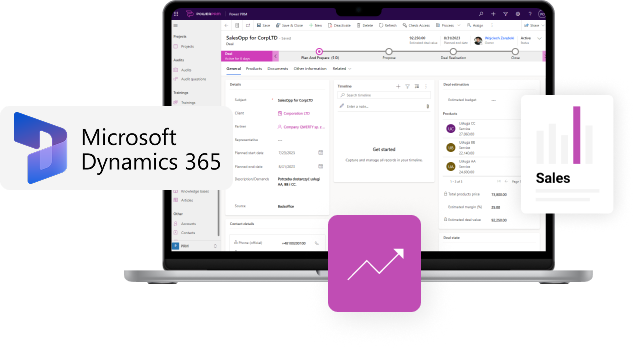
Empowering D365 Sales with PRM and dedicated Partner Portal
Configuring Partner Relationship Management (PRM) processes with D365 Sales and handling use cases beyond standard configurations
December 9th, 2025 | 13:00-13:45 [UK Time]
Looking to extend your D365 Sales with Partner Relationship Management module?
During our webinar, you’ll learn about:
- typical PRM processes that may be handled with standard D365 Sales configurations
- how to manage “Partners” with relations to “Leads”, “Accounts” and “Opportunities”
- handling PRM requirements when standard D365 configurations are not enough
- key considerations when setting up an integrated Partner Portal (partner landing-zone)
- how to combine PRM with CRM and build a single source of truth for all Sales & Partner Management activities
Who should join this webinar?
Sales Managers, Partner Channel Managers, Customer Success Managers, RevOps Managers
Webinar Series covering entire Partner Journey


1st Webinar
December 9th, 2025
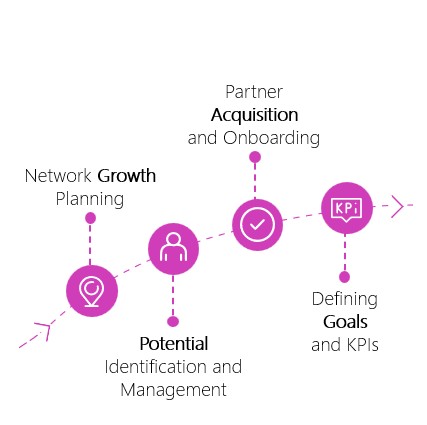
- Partner Acquisition: potential partner acquisition, scoring and qualification flow
- Partner Onboarding: managing onboarding process with checklists, tasks and dedicated Partner Portal
2nd Webinar
January 8th, 2026
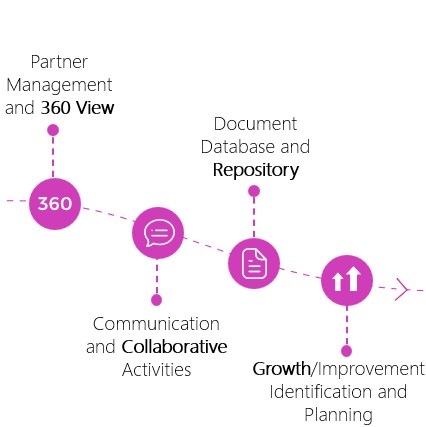
- Partner Management: Campaigns & Projects, Certifications, MDF & Incentives
- Partner Support: Knowledge Base, Trainings, Tickets Management
3rd Webinar
January 29th, 2025
- Partner Sales: Leads & Deals registrations and partner channel conflicts mitigations
- Partner Performance: Deals, & Pipeline tracking, Co-sell activities and Partner incentives settlement
Agenda
Speakers
- Dynamics 365 CRM and PRM – challenges and best practices when managing both together
- Typical PRM use cases covered by D365 CRM configurations
- PRM processes that are difficult to cover using standard D365 CRM
- Live demo: End-to-end Partner Acquisition and Onboarding process based on D365 CRM + PRM
- Q&A
Artur Zyzak
Sales and Partner Channel Manager
Konrad Jakubowski
PowerPRM Product
Owner
PowerPRM (PowerApps based) Product Manager with expensive experience in MD Dynamics 365 and MS business apps and PowerApps
FAQ
After submitting the registration form, you should get the webinar invitation email (if not received check spam folder).
Appropriate Teams meeting should be visible in your Teams and Outlook calendar. You will join the webinar as to the regular Teams meeting

Yes, this webinar will be recorded, and recordings will be distributed to all registered users
We plan to make the meeting chat available during the webinar. All questions will be addressed in the Q&A session at the end of the event